
In an era dominated by technology, our smartphones have become indispensable companions, holding a treasure trove of personal and sensitive information. However, as we navigate the digital landscape, the threat of phone hacking looms large. This blog aims to serve as your guide in identifying the subtle signs of a compromised phone and fortifying your digital fortress against potential threats.
Signs of Phone Hacking: Unveiling the Intruder’s Footprints
1. Unusual Battery Drain and Mysterious Data Spikes:
- Your phone’s battery behaving strangely? Discover how an unexpected drain or a sudden data surge might be the red flags signaling a potential intrusion.
2. Sluggish Performance and Sneaky Restarts:
- Is your once-speedy device now lagging behind? Uncover how performance issues and unexplained restarts could be indicative of malicious activities.
3. Unwanted Communications and Strange Texts:
- Dive into the world of suspicious calls and messages – a telltale sign that your phone might be acting as a conduit for spammers or unauthorized users.
4. Overheating Woes:
- Feel the heat, literally? Explore why an overheating phone could be a symptom of unauthorized activities under the digital hood.
5. Unknown Apps and Shifty Permissions:
- Get acquainted with your app list and permissions. Learn how unfamiliar apps or suspicious permissions might be gateways for digital intruders.
Defense Strategies: Fortifying Your Digital Fortress
1. Security Scans and Regular Updates:
- Arm yourself with reliable antivirus apps and stay up-to-date. Discover how regular scans and software updates can be your first line of defense.
2. Password Changes and Account Monitoring:
- Strengthen your castle walls by changing passwords and keeping a vigilant eye on your accounts. Learn why this is crucial in maintaining the security of your digital kingdom.
3. Removing Suspicious Apps and Factory Resets:
- Uncover the importance of app scrutiny and why, in extreme cases, a factory reset might be your digital reset button.
Essential security measures for your phone
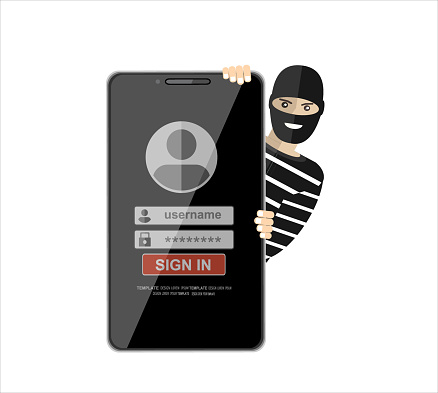
Securing your phone is crucial in safeguarding your personal information and ensuring a safe digital experience. Here are some essential security measures for your phone:
- Set a Strong Passcode or Password:
- Use a strong, unique passcode or password to lock your phone. Avoid easily guessable combinations and consider using a mix of numbers, letters, and special characters.
- Biometric Authentication:
- If your device supports it, enable biometric authentication methods such as fingerprint scanning or facial recognition for an additional layer of security.
- Regular Software Updates:
- Keep your phone’s operating system, apps, and security software up-to-date. Software updates often include security patches that protect against known vulnerabilities.
- App Permissions:
- Review and manage app permissions regularly. Be cautious about granting unnecessary permissions to apps, and only install apps from official app stores to reduce the risk of malicious software.
- Two-Factor Authentication (2FA):
- Enable two-factor authentication for your accounts whenever possible. This adds an extra layer of security by requiring a second form of verification, such as a code sent to your phone, in addition to your password.
- Secure Wi-Fi Connections:
- Avoid connecting to unsecured or public Wi-Fi networks, as they can be potential targets for attackers. Use virtual private networks (VPNs) when connecting to public Wi-Fi to encrypt your internet connection.
- Remote Tracking and Wiping:
- Activate the built-in tracking and remote wiping features on your phone. In case your phone is lost or stolen, these features allow you to track its location and remotely erase your data.
- App Locks and Secure Folders:
- Use app locks or secure folders to add an extra layer of protection to sensitive apps and data. This prevents unauthorized access even if someone gains physical access to your unlocked phone.
- Be Cautious with Links and Downloads:
- Avoid clicking on suspicious links in text messages, emails, or on websites. Additionally, only download apps and files from trusted sources to minimize the risk of malware.
- Regular Backups:
- Regularly back up your phone’s data to a secure cloud service or an external device. This ensures that even if your phone is lost, stolen, or compromised, you can restore your important data.
- Review App Security Settings:
- Check the security settings of individual apps. Some apps provide additional security features, such as the ability to log out remotely or set up additional authentication methods.
- Disable Unnecessary Features:
- Disable features that you do not use regularly, such as Bluetooth, Wi-Fi, or location services, when not needed. This not only conserves battery life but also reduces potential attack vectors.
As guardians of our digital realm, staying vigilant against phone hacking is paramount. By recognizing the subtle signs and implementing proactive defense strategies, we can navigate the digital landscape with confidence, ensuring our smartphones remain not just devices but secure vaults of our digital lives. Remember, in the ever-evolving world of technology, knowledge is power, and vigilance is our shield against unseen threats. So, arm yourself, stay informed, and let your smartphone be a fortress that stands impregnable against the tides of digital intrusion.